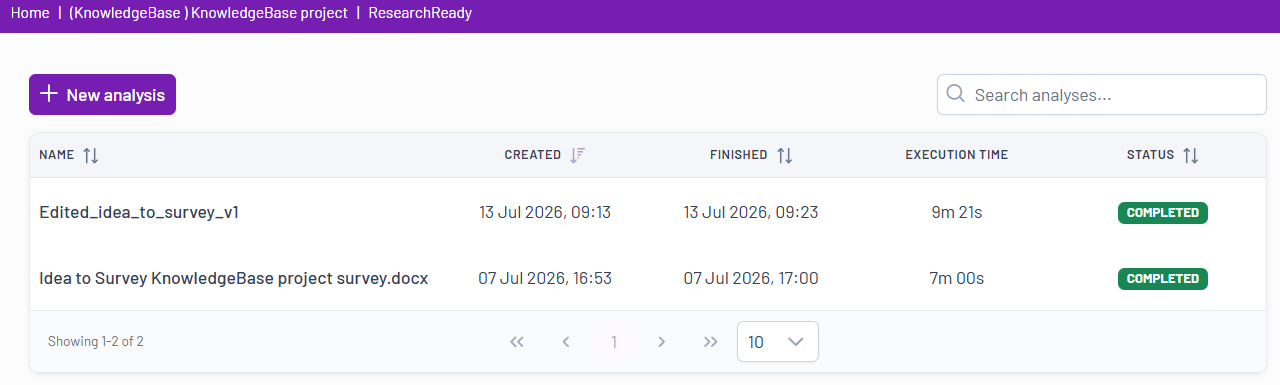
To run a new analysis, click the New Analysis button  , upload your Word or Excel questionnaire, select the analysis modules you are interested in, start the analysis, and then review the generated results.
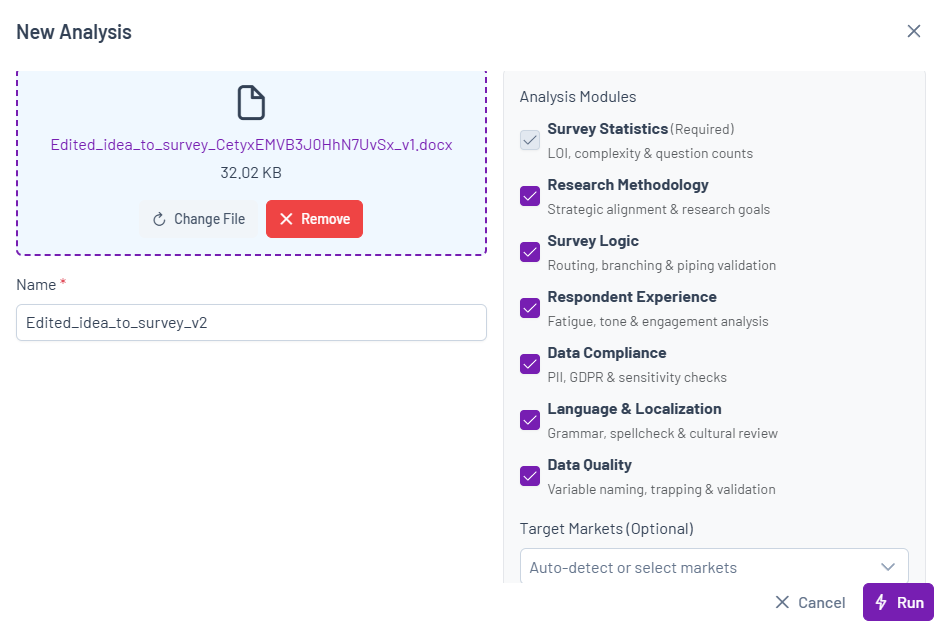

To run a new analysis, click the New Analysis button , upload your Word or Excel questionnaire, select the analysis modules you are interested in, start the analysis, and then review the generated results.